User simulation
Introduction to user simulation
User simulation can be a powerful tool for testing the access control or debug an issue with a specific user. When simulating a user, the user interface is started using the rights and user preferences of that user to provide the exact same view of the application.
You can simulate a user in two ways:
- Via Indicium
- Via Indicium's API
Only users with Main administrator or Simulator roles are allowed to simulate other users. For more information, see Assign a role to a user.
User simulation in Indicium
main administrator simulatorTo simulate a user using Indicium:
-
Go to Indicium's root page, for example
https://<server>/indicium/, and select User Simulation. If this option is not available, you may not have the correct role assigned. See also, Assign a role to a user.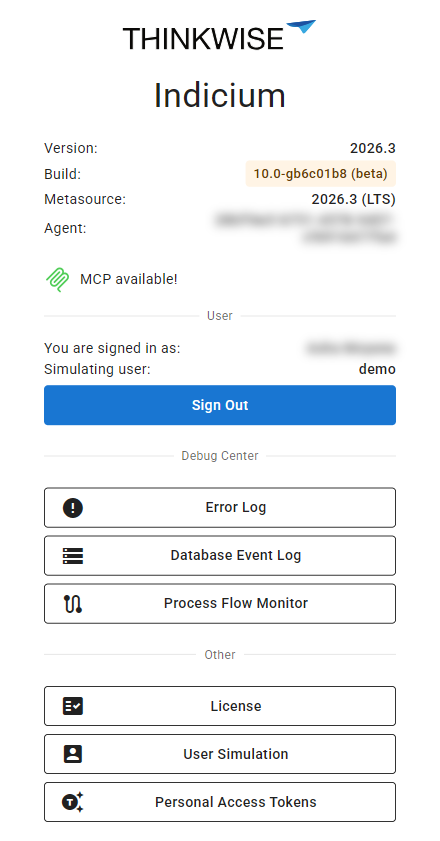 User Simulation on Indicium's root page
-
Select the user you want to simulate and select Simulate.
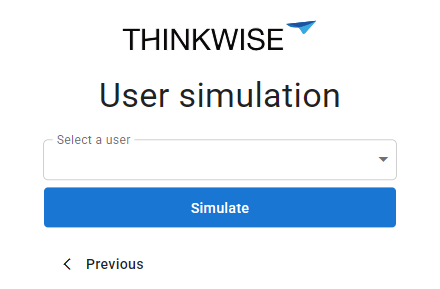 Select the user to simulate
-
Open your application, for example
https://<server>/universal/#application=<application>. The application uses the rights and user preferences of the selected user.- Once the simulation starts, the user menu shows the name of the simulated user.
- During a simulation, Indicium's root page also shows which user is being simulated, under Simulating user.
-
To stop the simulation, go to the User Simulation page and select Stop Simulation.
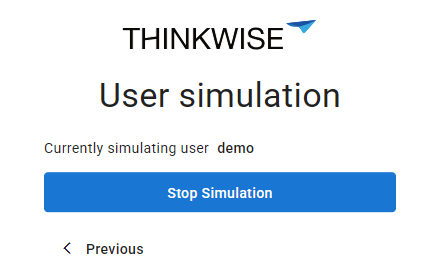 The user that is being simulated, with the option to stop the simulation
User simulation via the API
main administrator simulatorTo simulate a user via Indicium's API, use the following call. It will return the user you are simulating. If you are not simulating, it will
return the status code NoContent.
GET account/api/usersimulation
The next call will start the simulation for the selected user and return the status code Ok when the simulation succeeds. If not, you will receive a badRequest
with the error message.
PATCH account/api/usersimulation
Request body:
{
"simulated_user": "{username you want to simulate}"
}
To stop the user simulation, send the following command:
DELETE account/api/usersimulation
Retrieve the user who originally logged in
main administrator simulator Universal GUI Windows GUIOn SQL Server, you can retrieve the user who initially logged in using the tsf_original_login session variable:
select SESSION_CONTEXT(N'tsf_original_login')